
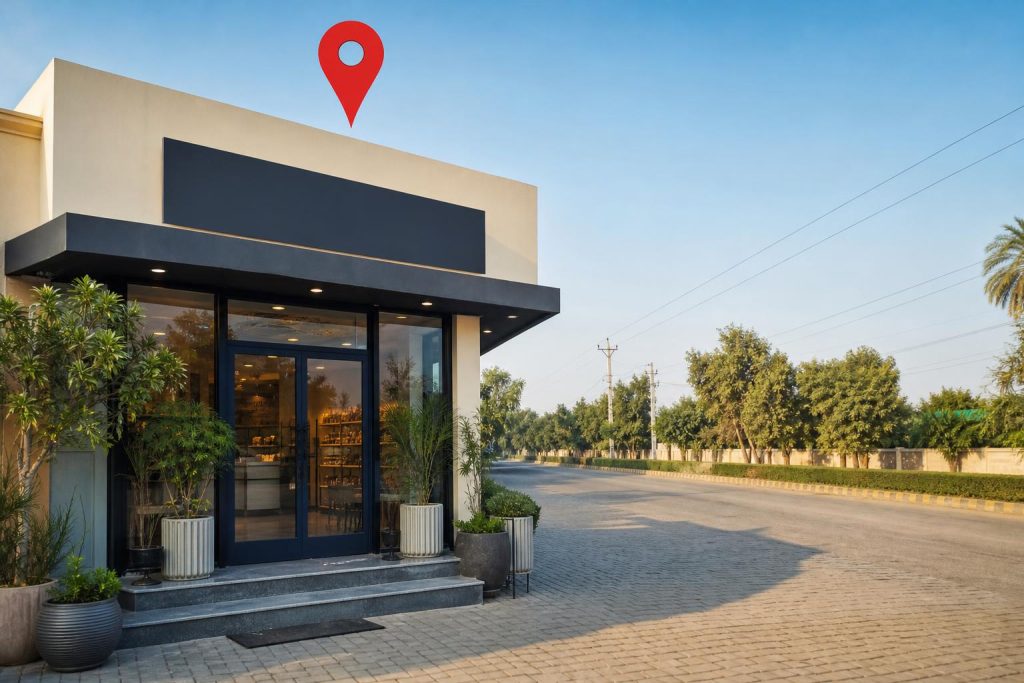
A local shop in Multan might have everything ready to serve customers but still struggle to get noticed. They’ve got a storefront, a good product, and fair prices, yet people searching nearby don’t find them on Google Maps. That’s where a simple google business profile setup can change the game. It helps your business show up front and center when locals look for what you offer, without spending extra on ads or flyers.
At SEO Masters, we often see businesses missing out just because their Google Maps listing isn’t complete or verified. After reading this guide, you’ll know exactly how to set up your profile step-by-step. You’ll be able to pick the right category, add your address or service area correctly, upload photos, and verify your listing. That means your business will be ready to catch the eyes of customers right in Multan.
Starting Your Google Business Profile Setup
First things first, you need to check if your business already has a profile on Google Maps. Sometimes, Google creates a listing automatically from public info, especially for well-known spots in Multan. Search your shop or clinic name on Google Maps to see if it’s there. If yes, claim it through the “Own this business?” option. If not, you’ll start fresh with a new profile.
Here’s what you should do next:
- Go to the Google Business Profile page and sign in with your Google account.
- Enter your real business name exactly as it appears on your storefront, website, or signage. Don’t stuff keywords like “best Multan clinic” into the name, that can lead to your profile being suspended.
- Choose whether you serve customers at your physical location or primarily provide services in a nearby area. This matters for your service area and visibility.
That’s the core of google business profile setup, getting your name right and deciding your service area. It’s simple but crucial. Skipping these steps or rushing them means you might lose local customers who can’t find you on Google my business Multan searches.
Choosing the Right Primary Category for Your Profile
Picking the right primary category for your business listing is a step you shouldn’t rush. This choice directly affects whether your business shows up in local searches on Google Maps and beyond. For example, a clinic in Multan should select a category like “Medical Clinic” rather than a broad term like “Health Service.” It makes your business relevant to people searching specifically for the services you offer nearby.
Here’s a quick way to choose the best category:
- Think about what your main service is and what customers usually ask for.
- Check similar local businesses’ google maps listing categories for ideas.
- Pick the most specific category available that fits your core offering.
Be careful not to stuff your business name with extra keywords. Always use the official business name exactly as it appears in real life. This keeps your profile safe from suspension during verification or later.
If you find this confusing or want to get it right the first time, SEO Masters can help with professional support, ensuring your profile and local SEO checklist meet Google’s guidelines. For businesses in Multan, using expert SEO services is often worth the investment to get visibility in the local pack and more foot traffic.
Adding Accurate Address or Service Area Details
When setting up your google business profile setup, getting your address or service area right is one of the trickiest but most important parts. Google needs to know exactly where you’re or which areas you cover so your business can show up in the local pack results that nearby customers see.
Most Multan businesses with a storefront should enter their full physical address. This includes street name, number, and any local landmarks that help pinpoint your location on Google Maps. Make sure this matches exactly with your website, social media, and directory listings. This is what’s called NAP consistency, Name, Address, Phone, and it’s crucial. If your phone or address differs on other sites, Google gets confused and so do customers.
But what if you work from home or serve customers at their locations? Then you should set up a service area instead of a public address. Here you tell Google which neighborhoods or cities you cover without showing your exact home address. This protects your privacy but still lets you appear in local searches around Multan.
Either way, keep your primary category in mind. It helps Google decide how to use your location details. Remember, these details need to be spot on to tick off the local seo checklist and help you show up where it counts.
Setting Business Hours, Phone Number, and Services
After you’ve sorted the location details, the next step is filling in your shop’s business hours, phone number, and list of services. These elements don’t just tell customers when and how to reach you. They also boost your visibility in local searches around Multan.
- Add Your Opening Hours: Enter exact times your shop is open each day. Be honest here. Customers dislike seeing “open now” only to find you closed. Accurate hours help Google show your profile in the local pack when people are ready to visit.
- Use a Local Phone Number: Put in a Multan-based number to maintain NAP consistency. This local signal builds trust both with Google and customers searching nearby, plus it helps with citations, mentions of your business across the web.
- List Your Services Clearly: Describe what you offer without stuffing keywords or exaggerating. Clear service info means your profile can appear in relevant searches and helps reduce pointless calls.
Say you run a clinic in Multan. You’d add hours like 9am to 5pm, a local landline, and list services such as general checkups and vaccinations. This way, locals know exactly when and how to connect, and your profile stands a better chance of showing up on Google Maps.
Getting these details right pays off, but remember that maintaining consistent NAP across all citations matters just as much. And if you want tips on how to get more google reviews, that adds another layer of trust and visibility. Teams like SEO Masters can help you keep these details sharp and up to date.
Uploading Quality Business Photos and Writing a Short Description
Photos grab attention fast. A profile with clear, well-lit images feels trustworthy and inviting. For a Multan clothing store, showing its best sellers on display or the neat interior can make a big difference. Avoid blurry, dark, or overly edited shots, they turn people away. You want your photos to reflect what customers will actually find.
Next, a short description focused on what sets your business apart helps. Keep it simple and local, say, mention your specialty in traditional fabrics or quick tailoring services. Mention your opening hours briefly here too, so folks know when to visit without hunting around.
One thing to watch for is NAP consistency, your Name, Address, and Phone number must be exactly the same everywhere online. This consistency helps Google trust your profile and shows up in local SEO results. If your phone or address varies, Google might get confused or show the wrong info.
Remember, a good google business profile setup includes these steps. For more on local SEO, check out related guides on this topic. Getting photos and descriptions right is not just about looks, it’s about helping customers find you faster.
Verifying Your Google Business Profile and Following Google’s Prompts
Once you’ve filled out your profile with details like opening hours, phone number, and business photos, you need to get it verified. This step confirms you’re the real owner and allows your listing to appear in the local pack on Google Maps. Verification methods can vary and change, so you have to carefully follow the instructions Google gives you at the time.
Most profiles get verified by postcard, where Google mails a code to your business address. Some businesses may be eligible for phone, email, or instant verification, especially if they’ve already verified a related Google account. You’ll just need to enter the code or confirm through the prompt to finish.
Small businesses in Multan should avoid stuffing their profile name or description with extra keywords. That can raise red flags and lead to suspension, which hurts visibility instead of helping it. Keep those sections clear and honest.
Verification unlocks important features like responding to customer reviews and posting updates, which build trust and attract more clients. If you want help with setting up and optimizing your profile for local search, SEO Masters offers local SEO services tailored for businesses across Pakistan.
Frequently Asked Questions
Is Google Business Profile free?
Yes, Google Business Profile is free to create and manage. You only pay if you choose to run ads through Google Ads separately. Setting up your profile costs nothing, and it’s one of the most cost-effective ways to get your business listed on Google Maps and local search results.
How long does verification take?
Verification time varies from a few days to a couple of weeks depending on the method Google uses, such as postcard or phone. Sometimes, you’ll get instant verification but most businesses in Multan should expect the postcard route, which can take around 5 to 14 days to arrive and activate your profile.
Can I list a business that works from home?
Yes, you can list a home-based business but you should avoid using your home address publicly if you’re not serving customers there. Instead, use a service area on your profile to show the neighborhoods or cities you cover without exposing your exact location.
How do I optimize my Google Business Profile after setup?
Keep your information consistent across all platforms, add new photos regularly, and update your hours for holidays or special events. You should also respond to customer questions and reviews promptly to improve your local presence and trust with potential clients.
Next Steps for Multan Businesses
First, finish your google business profile setup by double-checking that your NAP details, name, address, and phone, match perfectly everywhere online. Inconsistent info can confuse customers and hurt your chances of showing up in the local pack on Google Maps. Once your profile is verified, keep it fresh by updating photos, hours, and services whenever they change. That helps you stay relevant and makes customers more likely to choose you.
If you’re not sure about handling local SEO beyond the basics, or if the verification process feels tricky, don’t hesitate to get help. SEO Masters offers services tailored for businesses in Multan, making it easier to get found nearby. You can get in touch with SEO Masters and ask how to improve your profile and local search visibility.